
The All-in-One Local Business Toolkit: Bio Page, Booking, and Domain Email
A local gym owner has a booking app for classes, a separate free email address, a Linktree for social links, and a website they paid a freelancer for two years ago that no one has updated since. None of these pieces talk to each other, and managing all of them takes more time than any single one should.
Because most local businesses accumulate their online presence one disconnected tool at a time, the result is often a patchwork that looks unprofessional and wastes hours on tasks that should take minutes. Each piece works fine on its own, but none of them reinforce each other.
As a result, this guide looks at what changes when a Bio Page, Booking, and domain email all live under one connected system instead of three or four separate ones.
The Real Cost of a Fragmented Online Presence
Every disconnected tool adds a small amount of friction — logging into a separate dashboard, updating information in multiple places, explaining to a new staff member how three different systems work together. Because none of these costs are large individually, they rarely get addressed directly, even though they add up significantly over a year.
Why These Three Pieces Belong Together
A Bio Page is where customers land first. Booking is what they do once they decide to act. Domain email is how you follow up and how they perceive your legitimacy in return communication. Therefore, these are not three separate needs — they are three stages of the same customer relationship, and disconnecting them creates unnecessary friction at each transition.
What Changes When Everything Connects
When your Bio Page links directly to live booking availability, and your booking confirmations come from your own domain email, the entire customer journey feels like one cohesive brand instead of three separate tools stitched together. Meanwhile, managing updates in one place — a new service, a schedule change, a new team member — propagates everywhere instead of requiring updates in three different systems.
Who This Matters Most For
Local, appointment-based businesses feel this most directly — gyms, salons, clinics, tattoo studios, and similar service providers where the path from discovery to booking to follow-up communication happens constantly and repeatedly. As a result, the compounding value of a connected system is highest exactly where fragmented tools cause the most daily friction.
Signs Your Current Setup Is Working Against You
- You update your hours, services, or contact info in more than one place whenever something changes.
- Your booking confirmations come from a generic address unrelated to your business name.
- Your bio link, booking page, and email all use different branding or none at all.
- New staff members need separate training on multiple disconnected systems.
- You have considered consolidating tools before but never found the time to actually do it.
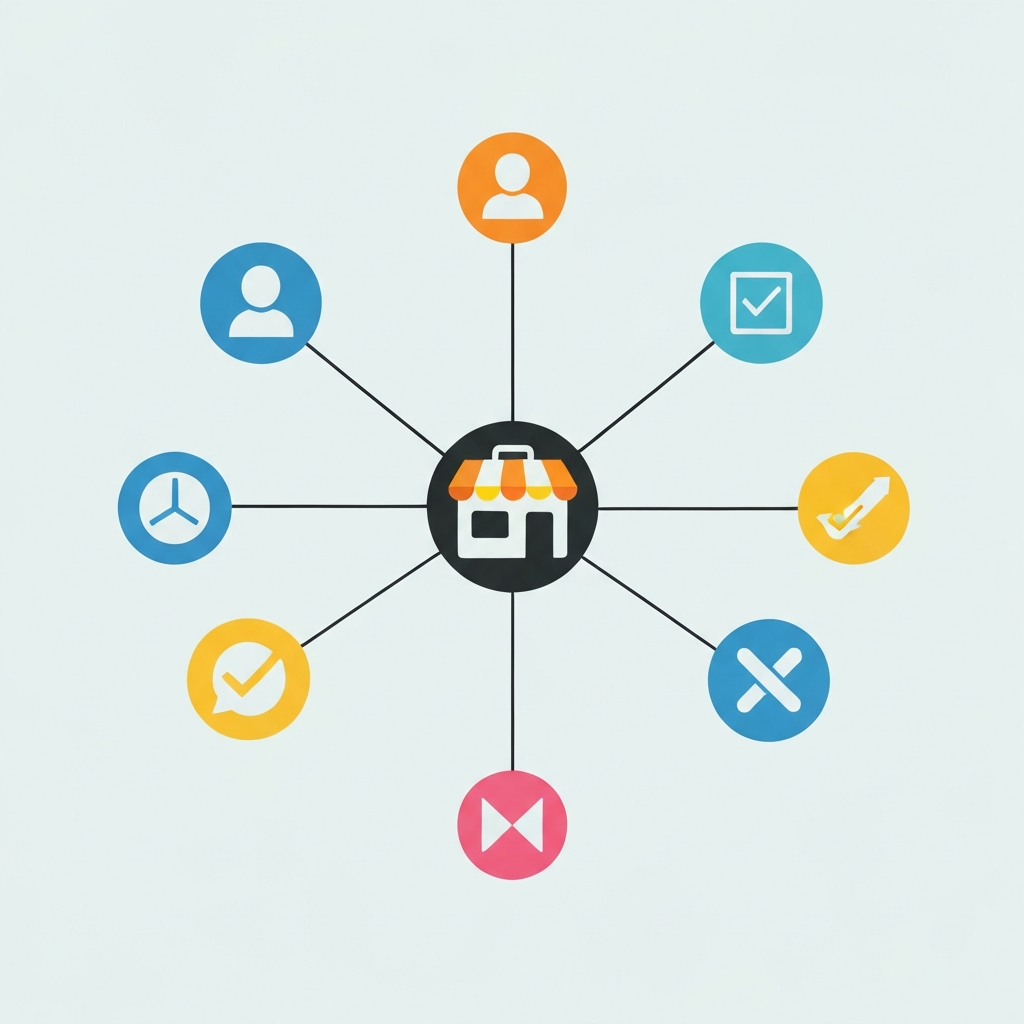
Visual: Fragmented Tools vs. One Connected System

The illustration contrasts a scattered set of disconnected tools against a single connected system where the Bio Page, booking, and email all reinforce the same brand. Meanwhile it illustrates that the value is not just fewer logins — it is a customer experience that feels coherent at every step.
How Find@ Brings These Pieces Together
This is exactly the gap Find@ was built to close for local businesses.
One Account, Three Connected Features
Because Find@ includes Bio Pages, Booking, and Mail within the same account and dashboard, a customer’s journey from discovering your business to booking an appointment to receiving a confirmation email all happens within one connected system rather than three disconnected ones. Explore Find@ to see how these pieces work together for a local business.
Starting Simple and Expanding Naturally
Most businesses do not need to set up everything at once. Starting with a Bio Page, adding Booking once appointment volume justifies it, and connecting domain email once the domain is already in use for the Bio Page is a natural, low-friction progression rather than a single large project.
A Practical Rollout Order
- Start with your Bio Page as the central hub linking everything else you already use.
- Add Booking once you have a domain-connected Bio Page and appointment-based services.
- Set up domain email once your domain is already established through your Bio Page or Site.
- Update your existing marketing materials to point to the connected system rather than scattered links.
- Retire the disconnected tools you no longer need, one at a time, as the connected system proves itself.
Fragmented Tools vs. Connected System: A Direct Comparison
| Factor | Fragmented Tools | Connected System | Business Impact | Management Effort |
|---|---|---|---|---|
| Brand consistency | Inconsistent across tools | Unified across every touchpoint | Stronger trust signals | Set once, applies everywhere |
| Update effort | Repeated across systems | Single source of truth | Less admin time | Update once |
| Customer journey | Disjointed, multiple platforms | Seamless, one connected flow | Better conversion | No extra effort |
| Staff onboarding | Multiple systems to learn | One dashboard to learn | Faster training | Simplified |
| Cost management | Multiple subscriptions | Consolidated plan | Often lower total cost | One bill |
How to Decide If Consolidation Is Worth It Now
- If you already juggle three or more disconnected tools for your online presence, the friction is likely costing more time than you realize.
- If your branding looks inconsistent across your bio link, booking, and email, that inconsistency is visible to every customer.
- As a result, most local businesses find the consolidation pays for itself in time saved within the first month.
CONCLUSION
Because a Bio Page, Booking, and domain email represent three connected stages of the same customer relationship rather than three separate needs, keeping them disconnected creates friction that compounds daily without ever appearing as a single visible cost.
Therefore, the case for consolidating them is not about reducing the number of logins — it is about presenting one coherent, trustworthy brand at every stage a customer interacts with your business.
Find@ brings Bio Pages, Booking, and Mail together under one account, so your online presence works as a single connected system instead of a patchwork of disconnected tools. As a result, every customer touchpoint reinforces the same professional brand. Start at find.at to see how these pieces fit together for your business.
Frequently Asked Questions (FAQs)
Do I need to set up Bio Page, Booking, and Mail all at once?
No, most businesses start with a Bio Page and add Booking or Mail as their needs grow. Because each piece adds value independently, there is no requirement to implement everything simultaneously to see benefits.
What kind of business benefits most from consolidating these tools?
Local, appointment-based businesses — gyms, salons, clinics, and similar service providers — see the most direct benefit, since their customer journey moves through discovery, booking, and follow-up communication constantly. Therefore, the friction of disconnected tools compounds fastest in exactly these business types.
Will switching to a connected system disrupt customers who already use my current tools?
A gradual rollout — starting with the Bio Page as a hub linking your existing tools, then replacing them one at a time — minimizes disruption. Because customers primarily interact with the Bio Page link itself, the underlying system change happens mostly behind the scenes.
Is consolidating tools actually cheaper than using separate ones?
Often yes, since a single connected plan frequently costs less than multiple separate subscriptions for a bio link tool, a booking system, and business email individually. As a result, the financial case often reinforces the operational one.
How does Find@ bring Bio Page, Booking, and Mail together?
Find@ includes all three within one account and dashboard, so a customer’s journey from your Bio Page to booking an appointment to receiving a confirmation email happens within one connected brand experience. Because everything is managed in one place, updates propagate everywhere instead of requiring separate changes across disconnected tools.


